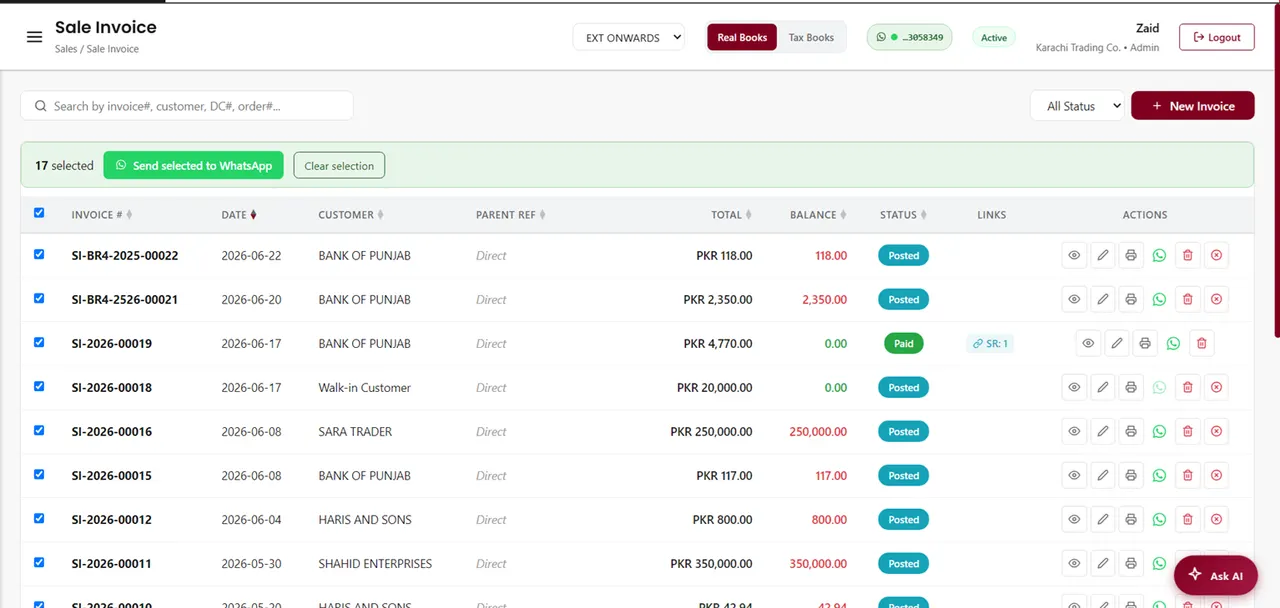
Most overdue payments aren't refusals — they're forgotten. The fastest way to fix that is to reach customers where they already are: WhatsApp. Sending account statements and gentle payment reminders on WhatsApp gets them seen far more reliably than email, and it makes paying you the easy option. Here's how to do it well.
Why WhatsApp beats email for getting paid
WhatsApp messages are opened and read within minutes, while invoice emails often sit unread or land in spam. Your customer already has WhatsApp open all day. A statement that actually gets seen is a statement that gets paid — so for receivables, WhatsApp simply works better than email.
What you can send
- A full account statement (the customer's ledger and running balance).
- An individual invoice or receipt as a branded PDF.
- A polite payment reminder when an invoice is due or overdue.
- Bulk statements to all customers at month-end.
How it works (the simple version)
- Link your company WhatsApp once by scanning a QR code.
- Open the customer, invoice or statement in your software.
- Tap send — a branded PDF goes straight to their WhatsApp.
- Track delivery and read receipts so you know it landed.
A simple payment-reminder routine
Consistency gets you paid without nagging. A routine that works for most businesses:
- On invoice date: send the invoice as a PDF.
- On the due date: send the statement showing the outstanding balance.
- A few days overdue: send a short, friendly reminder.
- Still unpaid: a firmer follow-up referencing the ageing.
Keep the tone courteous — the goal is to make paying easy, not to pressure. A clear statement usually does the work for you.
Tips to get paid faster
- Put clear due dates on every invoice.
- Make sure the statement shows the balance and how overdue it is.
- Send during business hours, not late at night.
- Include your payment details so there's no friction.
How AmalERP does it
AmalERP has WhatsApp invoicing built in. Link your company WhatsApp once, then send any invoice, receipt, sale order or statement as a branded PDF with one tap — plus bulk month-end statements, payment reminders, and a delivery log with read receipts. It turns chasing payments from a chore into a couple of taps.