Getting ready for FBR digital invoicing is not one big switch — it's a sequence of steps through FBR's IRIS portal, a licensed integrator, and a round of sandbox testing before you go live. This checklist walks you through it in order, so you know exactly what's needed and in what sequence. If you've already read our overview of FBR digital invoicing, this is the practical how-to that follows it.
Before you start: confirm you're in scope
The mandate is phased, so first confirm whether — and by when — it applies to you:
- Public sector and large enterprises.
- Importers.
- Businesses above the turnover threshold of the current phase (the first wave covered very high-revenue companies).
- Later phases pull in more registered sectors and smaller businesses.
Deadlines have shifted through successive SROs (for example SRO 709(I)/2025 and SRO 288(I)/2026), so check FBR's latest notification or ask your tax advisor for the exact date that applies to you. Don't wait for it — registration and testing take time.
Step 1 — Get your IRIS access in order
You log in to the FBR IRIS portal with your NTN/CNIC and password. Make sure your sales tax registration (STRN) is active and your business details are correct before you begin — clean registration data avoids problems later.
Step 2 — Open Digital Invoicing in IRIS
Inside IRIS, open the 'Digital Invoicing' section from the navigation. You'll be taken to an Integration Mode screen where you choose how your invoices will reach FBR.
Step 3 — Choose your licensed integrator
All invoices must flow to FBR through a licensed integrator. You have two routes:
- PRAL (Pakistan Revenue Automation): the government integrator, which provides licensed integrator services and sandbox testing free of cost.
- A private licensed integrator, or software with the FBR integration already built in - these may charge a fee but usually handle the technical work for you.
If you'd rather not manage API calls yourself, choosing software that already ships with the FBR integration is the simplest path — the connection to FBR is handled for you.
Step 4 — Arrange a static IP
Secure API access to FBR requires a static IP address from your internet provider (for example PTCL, StormFiber, Transworld or Fiberlink). That static IP has to be whitelisted by FBR/PRAL before your system can connect. Arrange this early — it often involves a request to your ISP.
Step 5 — Pass sandbox testing
Before you can send real invoices, you test in FBR's sandbox environment:
- Generate your sandbox token from the IRIS portal.
- Register your company and select the sector you operate in (this decides which test scenarios apply).
- Run the assigned scenarios — your software submits sample invoices in the required JSON format and must pass each one.
You only move forward once all sandbox scenarios pass cleanly. This is where good software earns its keep — it should produce valid JSON and clear the scenarios without manual fixing.
Step 6 — Go live with a production token
After sandbox testing succeeds, switch to the Production Environment tab in IRIS and generate your production token. That token is your authentication key for live submission — from here, every real invoice is transmitted to FBR as you issue it.
Step 7 — Confirm every invoice is compliant
Once live, each invoice should automatically carry the markers FBR requires:
- A unique Invoice Reference Number (IRN) from FBR.
- A valid FBR QR code and digital signature.
- Your NTN and STRN, buyer details, and correct line-item tax.
- Records archived for six years; corrections only within 72 hours (after that, Commissioner approval is needed).
Your quick readiness checklist
- Confirmed you're in scope and know your deadline.
- IRIS access ready, STRN active.
- Integration route chosen (PRAL, a licensed integrator, or software with it built in).
- Static IP arranged and whitelisted.
- All sandbox scenarios passed.
- Production token generated and live.
- Invoices showing IRN, QR code and digital signature.
How AmalERP makes this simple
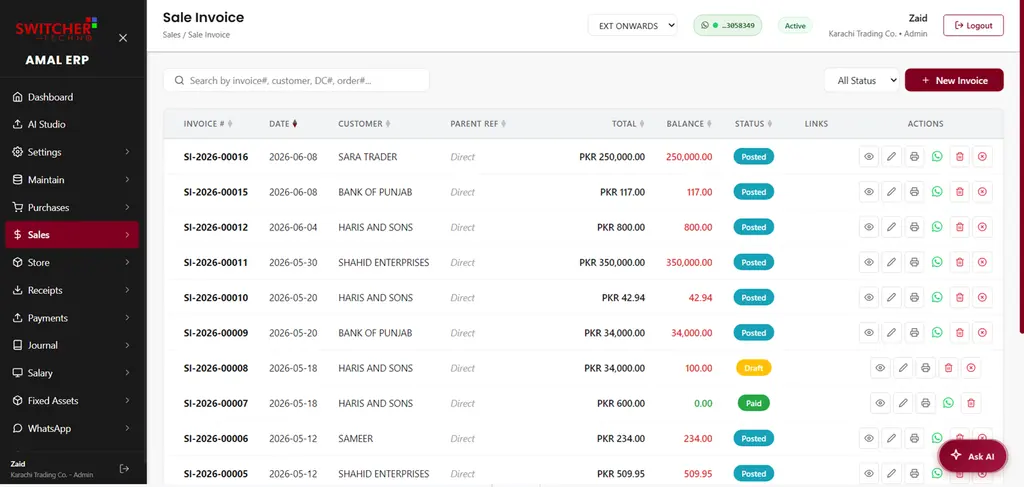
AmalERP connects to FBR's digital invoicing system through PRAL with direct API access. That means real-time submission of every invoice to FBR, with the FBR QR code, digital signature and IRN added automatically — and the sandbox-to-production setup handled for you, across cloud ERP, POS and accounting. If your business needs to be FBR-ready, talk to our team and we'll get you integrated the right way.